

Windows 10 Window Switching (Alt + Tab) Masks Edge Tabs

Release time:2020-11-14 23:53:00 Number of words:492 Reading:19752Times

The new version of Windows 10, press the keyboard Alt + Tab quickly switch windows, will switch in the Edge each tab, resulting in reduced efficiency, simple settings to solve related problems.

Related news guide

The first step:

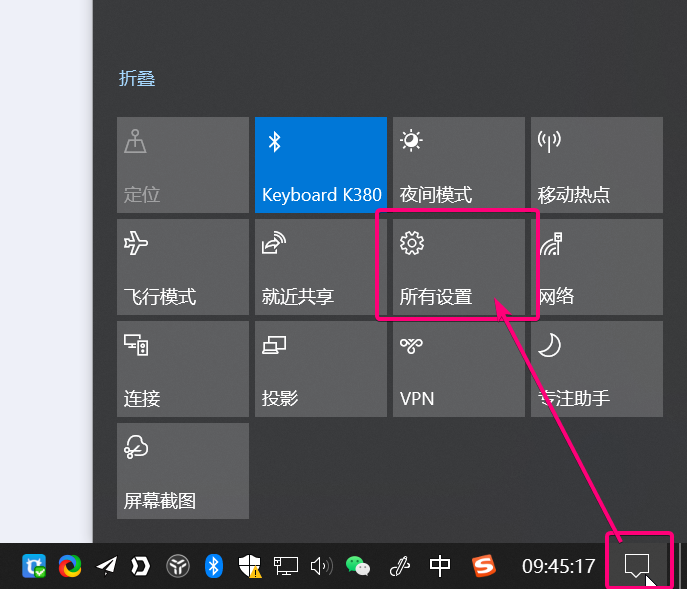
Click on the desktop in the lower left corner of the "bubble" icon, in the pop-up panel, click "All Settings".
Step two:

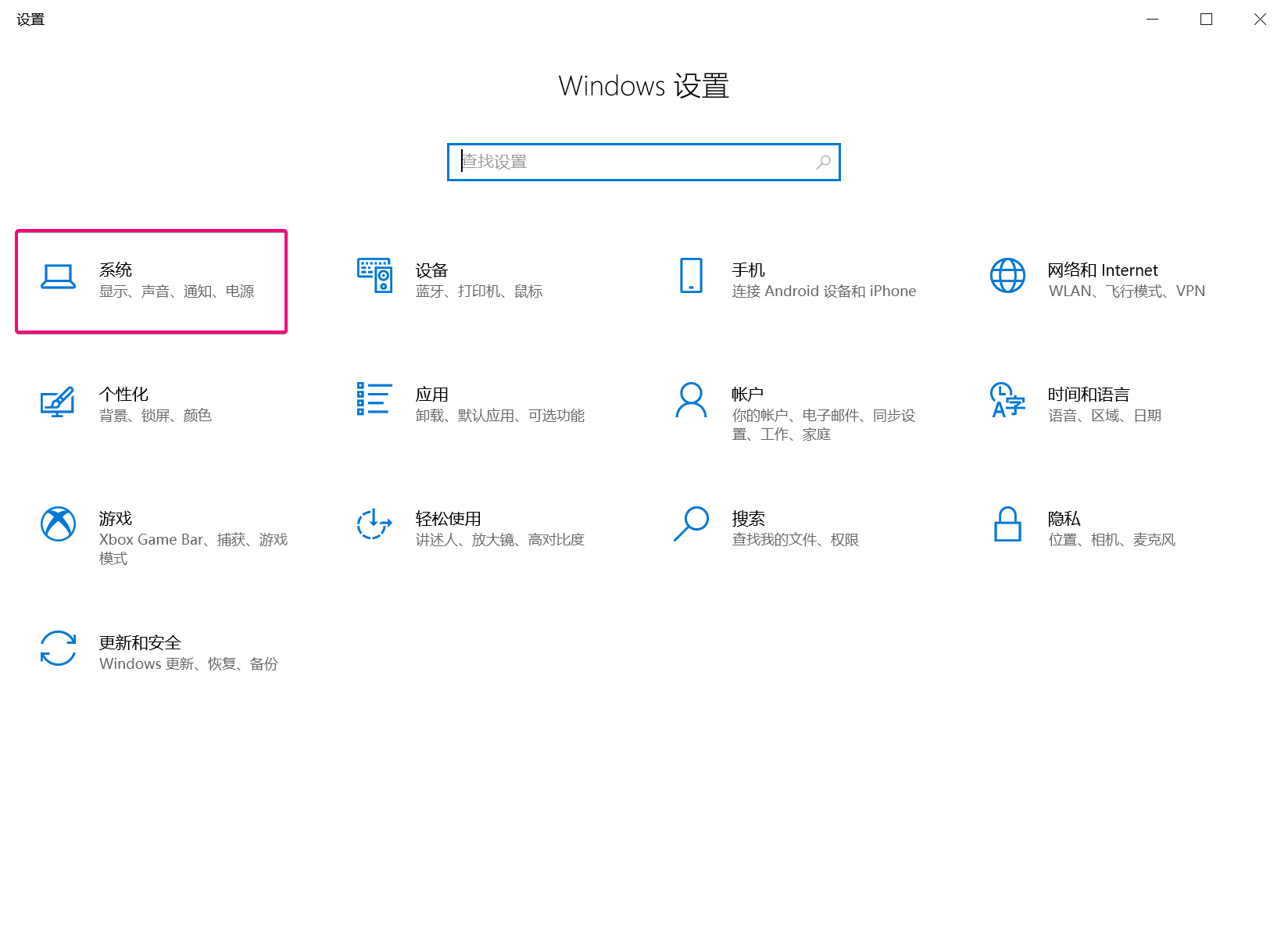
Click "System"
Step three:

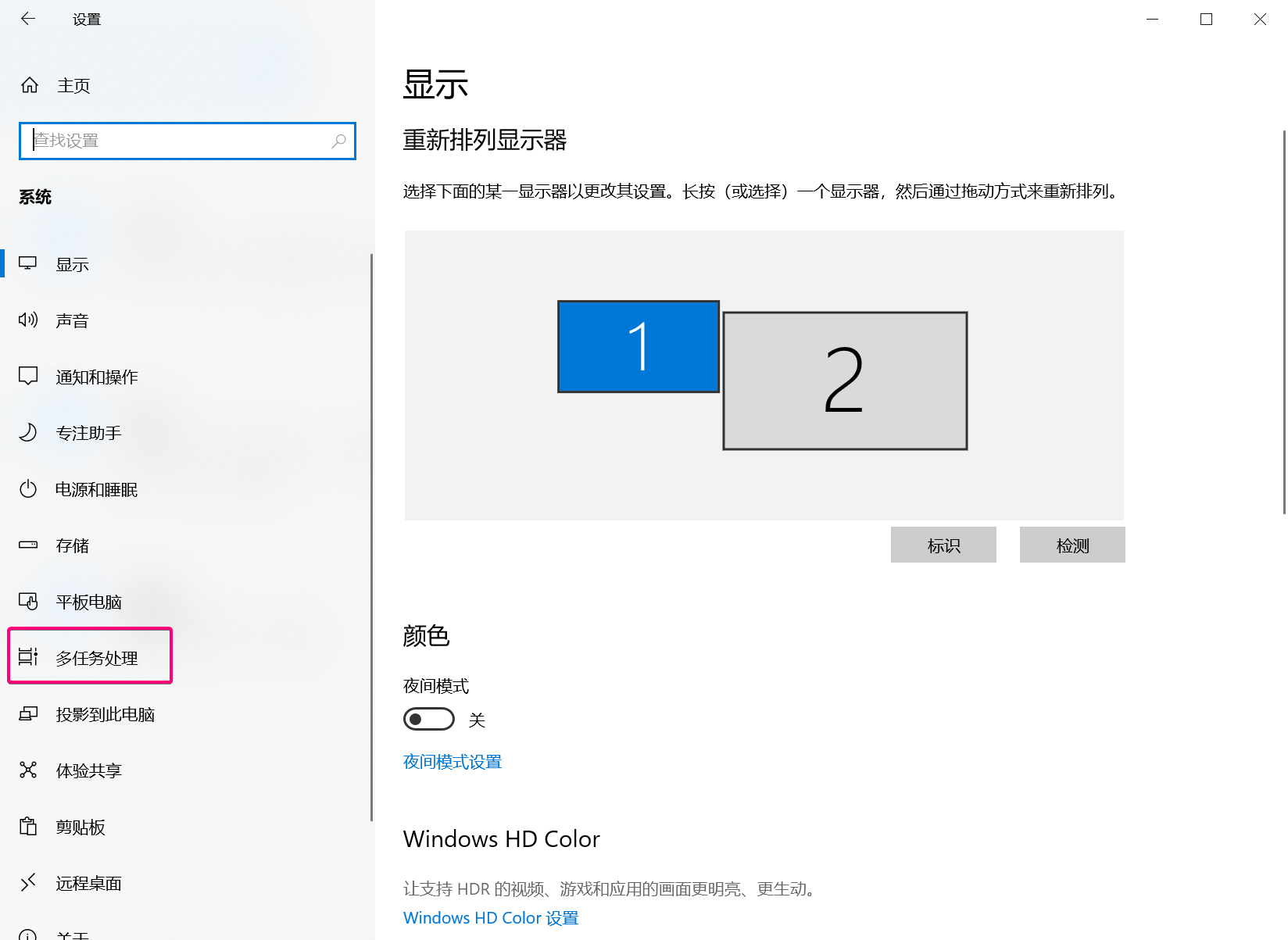
Click on "Multitasking"

Step four:

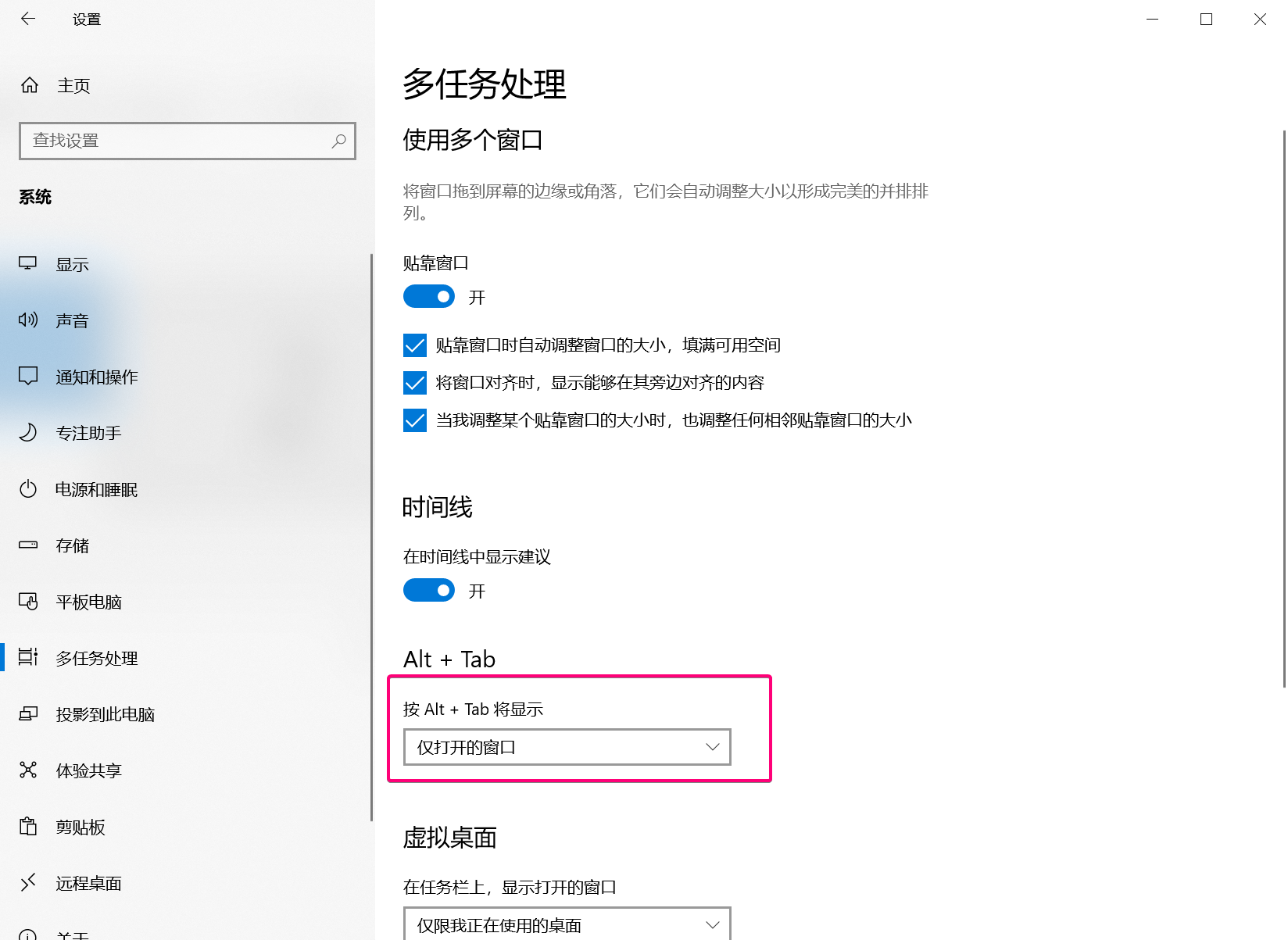
Alt + Tab to "Open windows only"
Comments (0 of)

Related Reading

Windows computer data recovery, U disk data recovery, SD card data recovery

Remote recovery of computer data (information, contracts, photos, project files, videos, source code), unsuccessful no charge. 12 years of research and development experience programmers and apes in the recovery of data at the same time to teach you the recovery method.

Self-employed high-performance discrete workstation computer for remote rental, processor 16 cores and 32 threads, RAM 96GB 3200MHz

Rented workstations for their own workhorses, non-commercial servers, interested in using the first trial, to meet the needs of the formal transaction, first use and then pay, not satisfied with no charge. The use of Windows comes with a remote desktop software link, no need to download a separate. If you need a higher configuration, welcome to chat privately.

Windows 10 Window Switching (Alt + Tab) Masks Edge Tabs

The new version of Windows 10, press the keyboard Alt + Tab to quickly switch windows, it will switch in the Edge each tab, resulting in reduced efficiency, simple settings to solve related problems.

AdSense's defined ad units do not display properly in mainland China, but display properly in other countries.

Smart Tool Kit online image compression tool: easy to create high quality images

In this digital age, pictures have become an important means of communication and expression for us. However, the size of image files often becomes a problem when we share and store them. Fortunately, the emergence of Smart Tool Kit online image compression tool allows us to solve this problem easily. This amazing tool can not only compress pictures efficiently, but also ensure the quality of pictures, making it easier and faster for us to share them.

Suggestions and feedback Contact Us